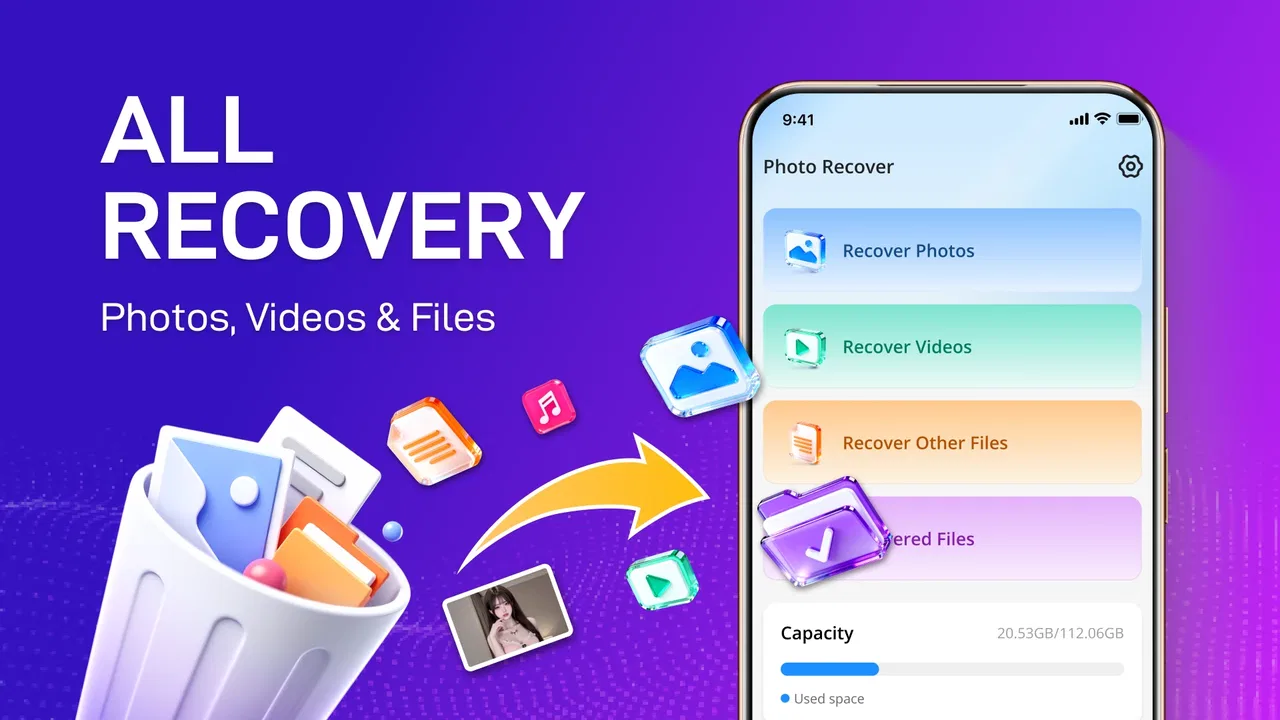
Photo Recover - File Recover
- 3.8
- Rating
- 100.00K
- Installs
- Free
- Price

 Analysis by App-foxy
I approached Photo Recover - File Recover as a practical emergency tool rather than something I would keep open every day. Its purpose is straightforward: help look for deleted photos, videos, and other files on an Android device. That narrow focus is also its main appeal. When an important image disappears, I do not want a complicated file-management suite filled with unrelated options. I want a clear recovery attempt, a readable result, and a sensible way to decide what is worth saving.
My overall view is cautiously positive. This free tools app from AANZ Studios can be useful when a recent deletion was accidental and the phone has not been heavily used since then. It is less convincing as a guarantee of recovery, and I would not treat it as a replacement for backups or a complete desktop recovery setup. The right expectation is important: it gives you a chance to find recoverable material, not a promise that every deleted file will return intact.
How the recovery experience feels in everyday use
The first situation where I would reach for it is simple and familiar. Imagine deleting a group of holiday photos while clearing storage, then realizing later that one image was needed for a message or a document. In that moment, the useful workflow is not to keep browsing folders randomly. I would stop taking new photos, avoid downloading large files, open the recovery tool, and search for what may still be visible to the system. That order matters because continued phone activity can make recovery less likely on storage where deleted space is reused.
You May Also Like

 Blood Strike: 2.5 Anniversary
Blood Strike’s Loadouts Turn Every Drop Into a Tactical Gamble
A close look at Blood Strike’s custom loadouts: how fast access to signature weapons reshapes its battle royale rhythm, rewards preparation, and narrows the gap between fights.

 Pandora - Music & Podcasts
Pandora’s Music Is Easy to Start, but Harder to Recover
Pandora’s strength is its low-effort path from a seed to a station. Its weak spot is how much confidence it asks you to place in connection, setup, and quiet recovery.

 8 Ball Pool
 Is Built on Rivalries, Rematches, and Routine
A close look at the rivalries, rematches, shared routines, and unanswered safety questions that turn a quick pool match into a persistent mobile community.

 Samsung Music
’s Quiet Strength Is Playing What You Already Own
Its reach comes less from spectacle than from dependable access to a personal library. That simplicity is both the app’s strongest retention engine and its ceiling.

 AccuWeather: Weather Radar
AccuWeather Review: A Quick, Clear Forecast for Everyday Decisions
For everyday plans, the best forecast is the one you can understand quickly. AccuWeather makes rain timing, radar, and local conditions easy to act on, with a few trade-offs.

 Hill Climb Racing
Why Hill Climb Racing Still Turns Crashes Into One More Run
A tiny car, a bumpy hill and one more upgrade: Hill Climb Racing keeps resurfacing because its simple chaos makes every near-miss feel personal.
More From Our News Desk
View All News


The app’s store summary covers photos, videos, and files, so I see it as broader than a photo-only recycle-bin utility. That makes it more relevant for screenshots, short clips, downloaded documents, and miscellaneous files that may have disappeared from a familiar folder. Still, “files” is a wide word. I would approach each category separately and inspect results carefully instead of assuming that every item shown is a complete, usable original.
One of the strongest practical points is accessibility. The app is free, carries an Everyone content rating, and supports Android 7.0 and later. That gives it a wide potential audience, including people using older devices who may not be able to install newer recovery utilities. Its current version is 1.2.3, and the app has passed the early curiosity stage: it has more than one hundred thousand installs, with a 3.8 average from a few hundred ratings. Those figures suggest real interest, while also telling me that the experience is not universally smooth.
I would begin with the least destructive approach. Before trying anything ambitious, I would check the phone’s gallery trash, file manager recycle area, cloud photo service, messaging conversations, and any computer folder where the file might have been copied. Those places are often more reliable because they preserve the original directly. A recovery scanner becomes more valuable when those ordinary locations have already been checked and the deletion appears permanent.
That comparison with the usual alternatives is important. A built-in gallery trash folder is normally faster and easier because it knows exactly which images it removed and may preserve them with their original organization. A cloud backup can be even better, provided synchronization was active before deletion. Photo Recover - File Recover occupies a different position: it is an extra attempt when the obvious safety nets do not help. I like that role, but I would not rank it above a backup system for protecting memories.
What I found useful about the approach
The app’s value is not just the possibility of finding a missing item. It is the way a dedicated recovery tool changes the search from guesswork into a focused check of available storage. That can save time when a file has lost its visible folder path or no longer appears in a gallery. I would use it after noting the approximate file type, location, and time of deletion, because those details make it easier to judge whether a result looks believable.
A useful habit is to review recovered candidates before saving everything. Duplicate-looking images, thumbnails, temporary versions, and files with unclear names can make a recovery list confusing. I would open or preview each promising result, compare its resolution and appearance with what I remember, and save only the items that are genuinely needed. This reduces clutter and makes it easier to spot a damaged file rather than mistaking its presence in a list for successful recovery.
Another non-obvious trade-off is timing. Installing a recovery app after deletion is understandable, but the installation itself writes data to the device. If the missing file is especially important, I would avoid filling the phone first and would use the smallest, most targeted process available. In a serious case, a computer-based recovery service or professional lab may be a better choice, particularly when the phone contains irreplaceable work or family material. The app is most suitable when the value of the file justifies an attempt but not an expensive specialist process.
I also recommend saving recovered files somewhere different from the location being scanned when possible. If the tool finds something in internal storage, putting the result on another storage destination is safer than repeatedly writing into the same area. It prevents a successful result from being mixed with the material still under examination and makes later organization easier. This is a workflow tip rather than a flashy feature, but it is the kind of detail that can make a recovery attempt less chaotic.
For videos, I would be more patient and more skeptical than I would be with a small image. A video may appear in a result list but fail during playback, show missing sections, or open without sound. I would test a recovered clip from beginning to end before deleting the original-looking result or assuming the job is complete. Photos can also be damaged, but video problems are often easier to miss if I only check whether a thumbnail appears.
The app’s broad file focus can help in a work scenario too. If I accidentally remove a PDF, an exported note, or a document downloaded for travel, a photo backup service may not contain it. A recovery utility that searches beyond the camera folder is therefore more useful than a gallery-only tool. I would still keep expectations measured, since the success of any undelete attempt depends on what happened to the storage after removal.
Where the experience needs realistic expectations
The biggest weakness is inherent to the task: deleted data is not always recoverable. On modern phones, removal may involve system behavior, storage management, encryption, application-specific folders, or space being reused by newer content. A scanner cannot recreate information that has already been overwritten. This is why I would never describe the app as a guaranteed restore button, even when a result looks promising.
There is also a difference between finding a file reference and recovering a clean original. A result may have an unhelpful name, incomplete metadata, a generic thumbnail, or a format that another app cannot open. That creates friction for anyone expecting a tidy gallery-style process. I consider careful inspection part of the job, not evidence that the app has failed outright, but it does mean the experience is less effortless than a normal restore from a trash folder.
Privacy is another reason to slow down. Deleted photos and files can be personal, and recovery work naturally involves examining material that may not be obvious from the current gallery. I would use the app only on my own device or with clear permission, and I would avoid saving recovered items into shared folders until I had checked them. I would also review the app’s current permission prompts and privacy information before proceeding, rather than granting access automatically. A recovery tool needs access to storage-related content to be useful, but that does not mean I should ignore what access it requests.
Results may also feel messy when the device has been used for a long time. Old thumbnails, duplicate copies, cached media, and files from different applications can make it difficult to identify the original. My practical answer is to narrow the search mentally before scanning: think about the missing item’s format, approximate size, and likely folder. Then I would sort through results with those clues instead of treating every match as equally valuable.
Another limitation is that the app is designed for Android rather than serving as a universal solution across platforms. Its minimum operating-system requirement is Android 7.0, so an older phone below that level is outside its supported range. On a supported device, I would still expect the result to vary according to the phone’s storage design and the way the original application handled the file. The same recovery attempt may therefore be worthwhile on one device and disappointing on another.
This is also where a desktop alternative can be better. If the missing material is business-critical, if the phone is damaged, or if many files disappeared at once, a computer recovery workflow may offer stronger inspection and organization tools. A built-in cloud history is better when it exists. Photo Recover - File Recover makes sense as a convenient first or second attempt, not as the only option for high-stakes recovery.
Who should use it, and who should skip it
I would recommend it to Android users who deleted a photo, video, or ordinary file by mistake and want a free, accessible recovery attempt before spending money or handing the device to a specialist. It is especially suitable for people who understand that recovery depends on timing and storage activity. Someone comfortable checking results manually will get more from it than someone who expects a single tap to restore an entire library perfectly.
It may also suit users with older supported phones. Many modern tools quietly assume recent hardware or software, while this app’s Android 7.0 minimum makes it relevant to a wider range of devices. That does not guarantee equal recovery performance, but it removes one common barrier to trying a basic recovery workflow.
I would skip it as a first choice if the file is already available in a gallery trash folder, cloud archive, email attachment, chat thread, or computer backup. Those sources usually preserve more context and require less sorting. I would also skip a casual experiment if the phone contains extremely sensitive information and I have not reviewed how the app handles storage access. In that case, a trusted backup or professional service deserves priority.
People who regularly delete large amounts of media should not use this app as a substitute for storage management. A recovery tool is reactive. It does not create a dependable history of every file, and it cannot protect against future mistakes. I would pair it with automatic backups, a periodic manual copy of important documents, and a habit of checking the trash folder before permanently removing anything. That combination is much stronger than relying on recovery after the fact.
The developer, AANZ Studios, has positioned the product in the tools category rather than as a full file-management or backup platform. That distinction helps me judge it fairly. I would not expect photo organization, long-term archiving, or a polished media library to be its central strength. Its job is narrower: give a user a practical chance to locate material that is no longer where it should be.
My final recommendation
After weighing the convenience against the uncertainty, I see Photo Recover - File Recover as a sensible free utility for a specific problem. Its strongest case is an accidental deletion followed by quick, careful action: stop unnecessary phone use, check the ordinary recovery locations, scan for the relevant type of file, preview the candidates, and save confirmed results somewhere safer. That workflow gives the app its best chance to be useful.
Its 3.8 average rating reflects the kind of mixed experience I would expect from recovery software. Some users will find exactly what they need, while others will encounter overwritten data, incomplete files, or confusing results that no scanner can fully repair. I would not interpret that variability as a reason to dismiss the app, but I would treat it as a reminder to keep expectations grounded.
My recommendation is to try it when the alternative is simply giving up, but not to wait until an emergency to protect important files. For a recently deleted image or document on a supported Android phone, this free app is worth a careful attempt. For irreplaceable memories, damaged devices, or large-scale loss, I would move quickly to a reliable backup, a desktop recovery option, or professional help instead.
In short, I like its focused purpose and low barrier to entry, and I can see it helping in a realistic everyday mistake. I do not see it as magic, a backup replacement, or the best answer for every recovery case. If you install Photo Recover - File Recover with that balanced view, it can be a useful tool to keep available for the occasional deletion emergency rather than an app you depend on for permanent file safety.
FAQs for Photo Recover - File Recover
01What types of files can Photo Recover - File Recover restore?
Photo Recover - File Recover is designed to recover a variety of file types, including photos, videos, documents, and audio files. It supports multiple formats such as JPEG, PNG, MP4, PDF, and MP3. This flexibility ensures that users can retrieve most common file types lost due to accidental deletion or system errors.
02Is Photo Recover - File Recover compatible with all devices?
The app is compatible with most Android and iOS devices. However, it is important to check the specific device requirements and operating system version needed for optimal performance. Users should ensure their device meets these criteria to avoid compatibility issues and ensure smooth operation.
03How effective is the app in recovering permanently deleted files?
While Photo Recover - File Recover is effective in retrieving a wide range of deleted files, the success rate can vary depending on factors such as how long ago the files were deleted and whether new data has overwritten the storage space. It's recommended to use the app as soon as possible after data loss for the best results.
04Does the app require root access on Android devices?
Photo Recover - File Recover does not typically require root access to function. It is designed to work on non-rooted devices, making it user-friendly and accessible. However, certain advanced recovery features might be more effective on rooted devices, which can access deeper system files.
05Is there a cost associated with using Photo Recover - File Recover?
The app may offer a free version with basic recovery features, but advanced features or unlimited recovery might require a one-time purchase or subscription. Users should review the pricing details in the app store description to understand the cost structure and decide if it meets their needs.
Pros
- Recovers lost photos with high accuracy.
- Supports multiple file formats for recovery.
- User-friendly interface simplifies navigation.
- Quick scan mode saves time and effort.
- Available for both Android and iOS devices.
Cons
- Limited free version features available.
- May not recover all deleted files.
- Requires internet for some functions.
- Occasional ad interruptions.
- Can consume significant battery life.

Photo Recover - File Recover
Gallery